Props: how it works
Props is the recognition game. Every other board scores what the CRM can count — this one scores what teammates actually see: the assist that closed someone else’s deal, the save nobody logged, the glue work. A rep gives a teammate a prop, it lands in a public feed with points on it, and the props build their own leaderboard.
01The board in one look
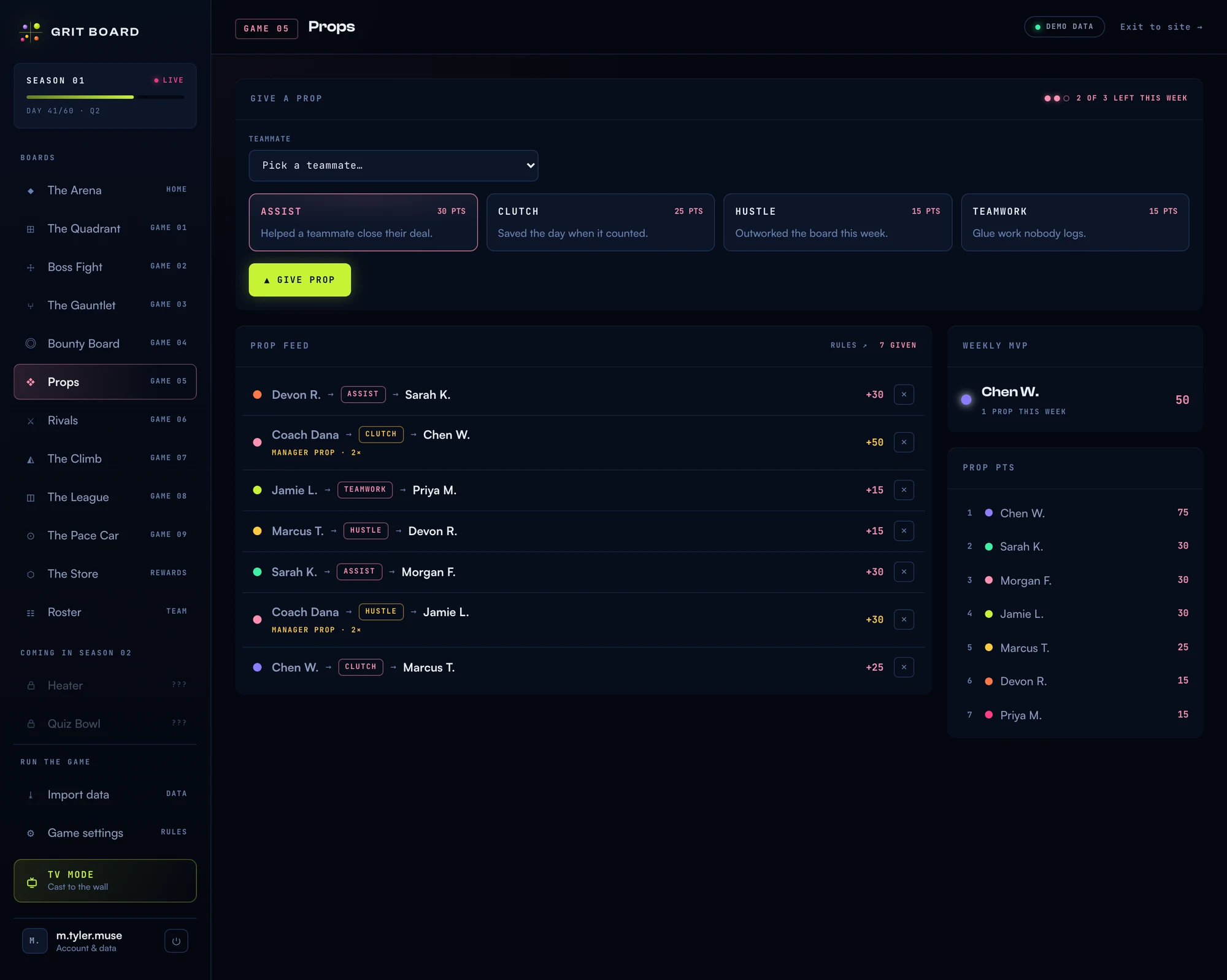
Top: where you give one. Middle: the public feed — who propped whom, for what, and what it paid. Right: this week’s MVP and the season’s prop points leaderboard.
02Giving a prop
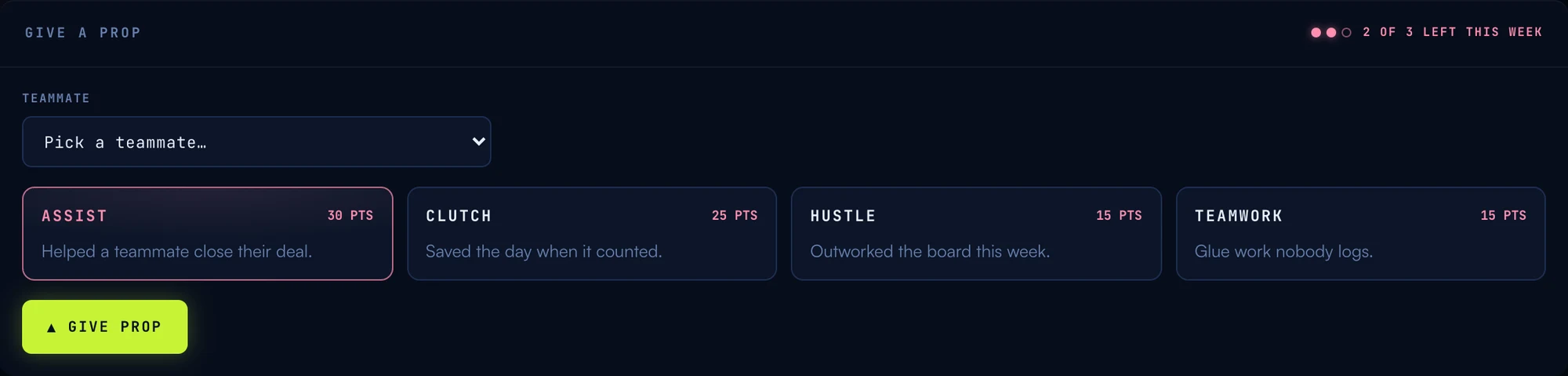
Pick a teammate, pick the category that fits, hit give. Anyone can give props — reps and managers alike. There are four categories, fixed on purpose so a prop always means something specific:
- ASSIST · 30 PTS Helped a teammate close their deal.
- CLUTCH · 25 PTS Saved the day when it counted.
- HUSTLE · 15 PTS Outworked the board this week.
- TEAMWORK · 15 PTS Glue work nobody logs.
The weights are deliberate: helping someone else’s deal land (ASSIST) and saving one that was slipping (CLUTCH) pay more than solo grind — the behaviors worth the most to a team sit at the top.
03Why props stay scarce
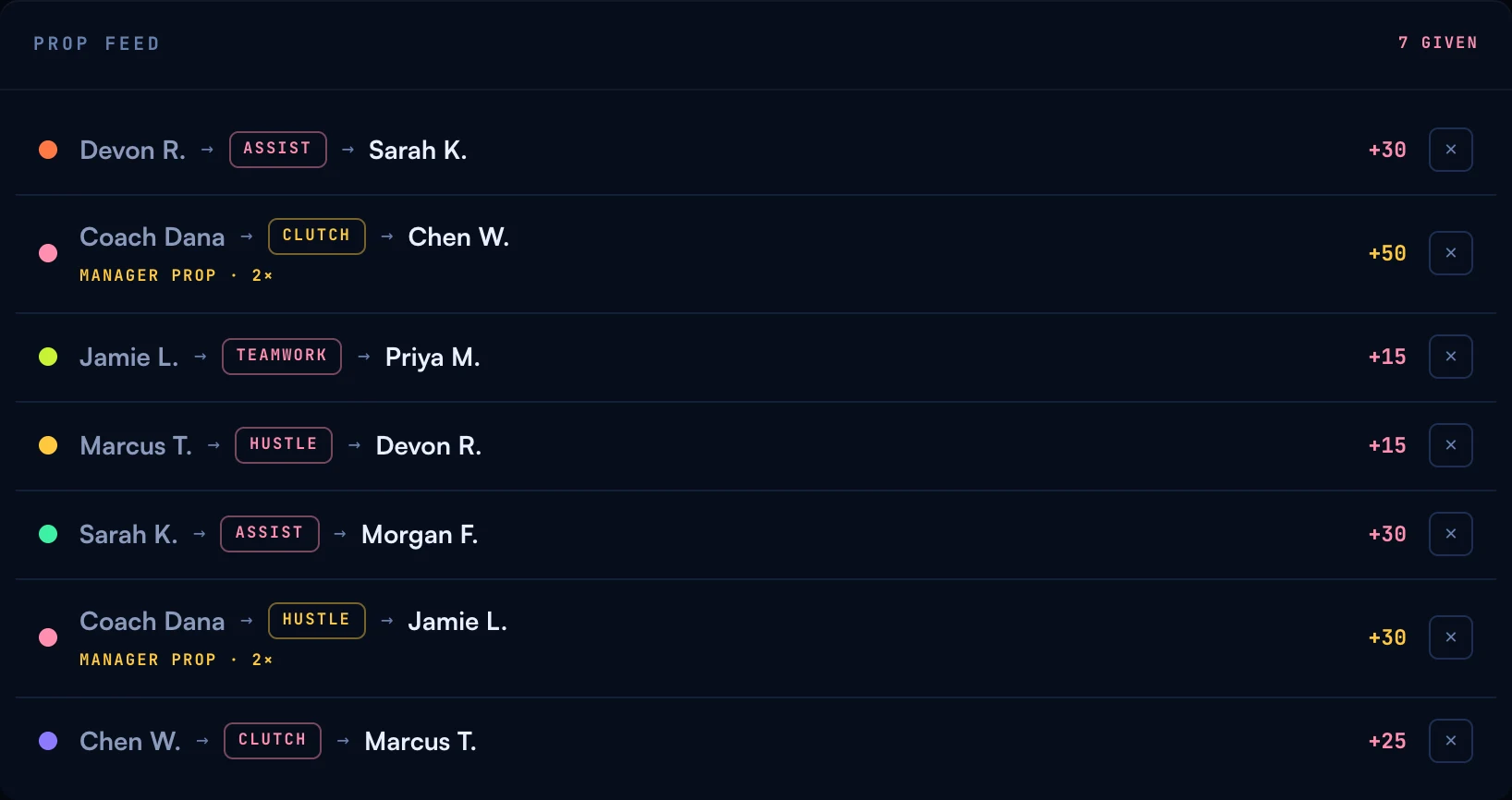
Recognition only means something if it can run out. Three rules keep it honest:
- Three props per week. Everyone gets the same budget, refilled Monday. Spend them well — the pips in the panel header show what you have left.
- One per teammate per week. You can’t give the same person your whole budget — and back-scratching pacts (“I prop you three times, you prop me three times”) don’t work.
- No self-props. Obviously.
A manager’s prop counts 1.5× and wears a gold MANAGER PROP · 1.5× tag in the feed — the boss noticing is worth more, and everyone can see when it happens. Managers get the same three-per-week budget; theirs just hit harder.
04The MVP and the leaderboard
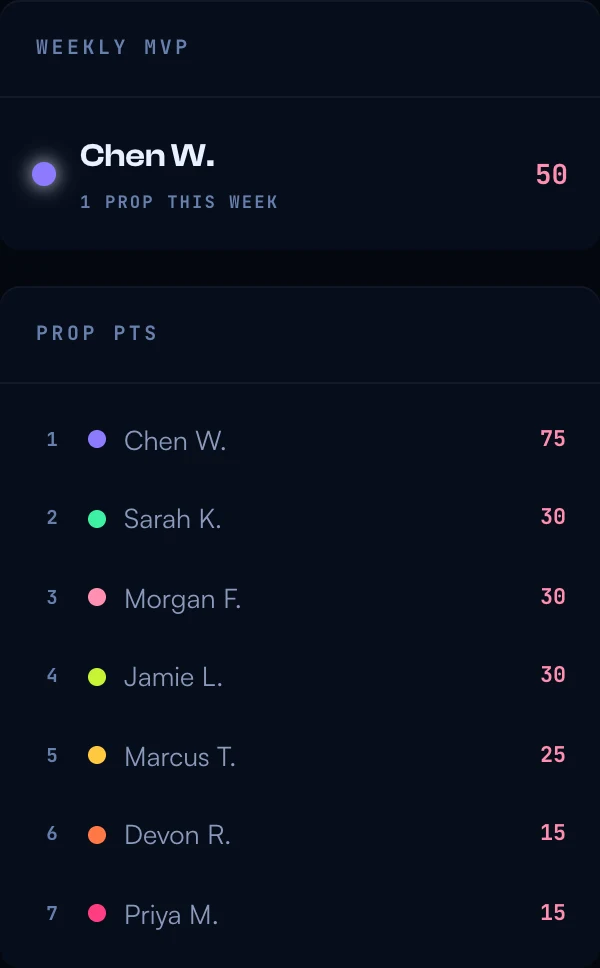
The Weekly MVP is whoever collected the most prop points this week — a fresh race every Monday. The Prop PTS leaderboard is the season total. Prop points are their own game: they never move season points, the Quadrant, or any other board. That keeps the recognition pure — a prop is about what a teammate saw, not a way to game the standings.
05For managers
There’s nothing to configure — the categories, weights, and weekly budget are fixed. Two things are yours:
- Your 1.5× props. The highest-value recognition on the board. A manager prop on unglamorous work (a TEAMWORK on the rep who cleaned up the pipeline data) tells the team what you actually value.
- The veto. You can revoke any prop from the feed — the backstop that keeps the board trustworthy if something lands wrong. A vetoed prop refunds the giver’s weekly slot.
06Common questions
“Why can’t I write a note with my prop?” The four categories carry the meaning — that’s the design. It keeps a prop quick to give, impossible to misuse, and legible at a glance in the feed.
“I ran out — can I get more?” No, and that’s the point: the budget refills every Monday, and scarcity is what makes receiving one feel earned.
“Do prop points affect my quota or season rank?” No. Prop points live on the Props board only. Winning it means your teammates rate you — which is its own kind of standings.
More questions? Write to hello@gritboard.io — a human reads it. Curious what the game feels like? See the Props overview.