Players & the roster
The Roster tab is the team’s fact sheet — every rep, every number, one table. This page covers the tab itself, then the part that actually generates support questions everywhere else: what happens when people join, leave, or change names mid-season. The short version: keep an email column in your uploads and all of it is seamless.
01The Roster tab
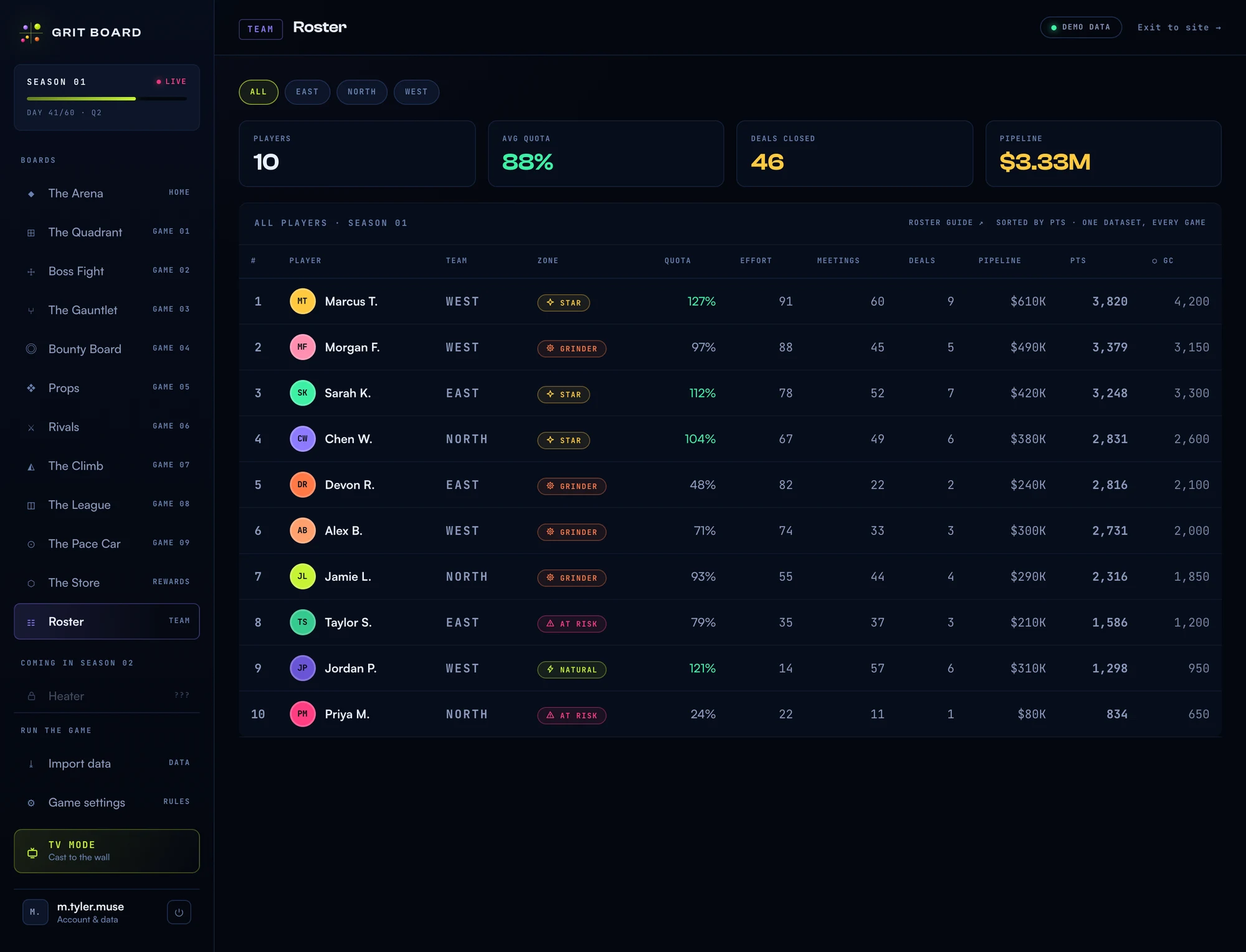
One row per rep: rank, Quadrant zone, quota, effort, the tracked metrics, season points, and their Grit Coin balance. Reps who’ve leveled up on The Climb wear their LV chip next to their name. The header says the two things worth knowing: sorted by PTS — always by points, never by coin balance, so spending Grit Coin can never hurt anyone’s standing — and one dataset, every game: this table is the exact data every board renders from.
02Assigning squads
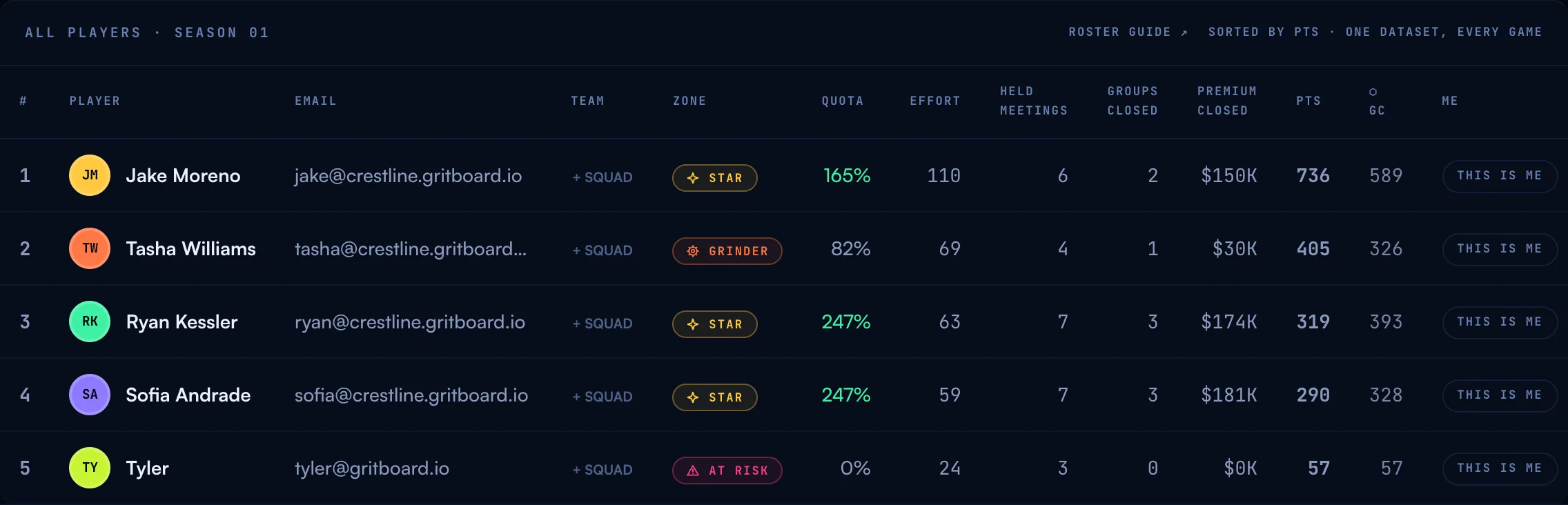
The TEAM column is editable right on the table (owners only): click a cell, type a squad name or pick one you’ve already used from the list that pops up, and hit Enter. An unassigned rep shows a quiet + SQUAD button in the same spot rather than a blank cell nobody notices. Reuse an existing label — “Producers”, “Account Managers” — rather than retyping a near-miss, or you’ll split one squad into two on the roster.
Once even a few reps carry a squad, the team filter at the top of the Arena, the Quadrant, and this table starts meaning something — you can look at just your Producers, or just your AMs. A re-sync or a fresh CSV upload can never wipe a squad assignment; it lives in your season settings, not in the uploaded file, so it survives every ordinary data refresh.
03How Grit Board knows who’s who
Every upload is matched against your existing roster so each rep keeps one identity all season — their YOU highlight, earned Climb unlocks, Grit Coin wallet, and place in frozen game history all hang off it. The matching is two keys, in order:
- Email first. The strongest key — it wins even when the name changed (marriage, a nickname cleanup, “Rob” becoming “Robert”). This is why the email column matters more than any other optional column.
- Name second, only when it’s unambiguous. A unique name match carries the identity. Two rows named “Marcus T.” is ambiguous — Grit Board deliberately refuses to guess rather than merge strangers.
Row order never matters, and CRM exports that reorder on every sort are fine. The one behavior to know: a renamed rep with no email is a new identity. With no key linking the old row to the new one, silently merging would be worse — so keep emails in the file and renames are a non-event.
04Someone joins mid-season
Add their row to your next upload — that’s it. They’re on every board immediately, and the games treat newcomers fairly by design: bounty races measure gains from a posted baseline (no head start to miss), The Climb counts their season from their own numbers, and The League lists them as a free agent — visible now, drafted next season. Their quota and effort prorate against the same season clock as everyone else’s.
05Someone leaves
Leave their row out of your next upload and they’re off the live boards. Two promises about what stays:
- History stays written. Closed Gauntlet rounds, Rivals duels, League weeks, and Climb unlocks keep their name exactly as recorded — a departed rep doesn’t vanish from a bracket they fought in.
- Their identity waits. If they come back (a boomerang hire, or a row accidentally dropped), an upload with the same email reconnects everything — wallet, unlocks, history. Re-adding them is as undoable as removing them.
06The warning worth reading
If an upload arrives missing emails your roster had before, the import says so, loudly and by name:
▲ “This upload is missing emails your roster had before: Sarah K. (was sarah@yourcompany.com). Those reps lose their ‘YOU’ highlight until an upload carries their email again — add the email column back to your file.”
The import still goes through — emails are optional — but this is the one silent failure worth catching: without the email, a rep loses their YOU highlight, and a CRM-synced rep can split into a duplicate identity on the next sync. The fix is always the same: put the email column back.
07Common questions
“A rep got married and changed their name.” Nothing to do — the email carries the identity and the new name simply appears everywhere, history included.
“We have two reps with the same name.” Add emails to the file. Same-name rows without emails can’t be told apart, so each keeps a separate identity — which is the safe behavior, just not the convenient one.
“Can reps see each other’s numbers?” Yes — that’s the product. Every signed-in rep sees every board, read-only. A leaderboard nobody can see isn’t a leaderboard.
“Where do I remove or edit a player?” In your data, not in the app: the roster is always exactly what your last upload (or CRM sync) said. Edit the file, upload again, done.
More questions? Write to hello@gritboard.io — a human reads it.